 Posted by
 Nothing ruins a fun gaming session with friends quite like an unexpected disconnection. Roblox Error Code 267 can interrupt your experience without warning, especially when you are in the middle of a game. The message can be confusing because it does not always make it immediately clear whether the restriction affects the specific experience or your entire Roblox account.
Game creators can issue experience-specific bans when they believe a player has violated the rules of that experience. Understanding what this error means can help you determine whether you need to contact the experience creator or troubleshoot a different Roblox issue.
What Does Roblox Error Code 267 Mean?
Falling out of your favorite Roblox game and seeing a red warning screen can be frustrating, especially when you are not sure what caused the restriction.
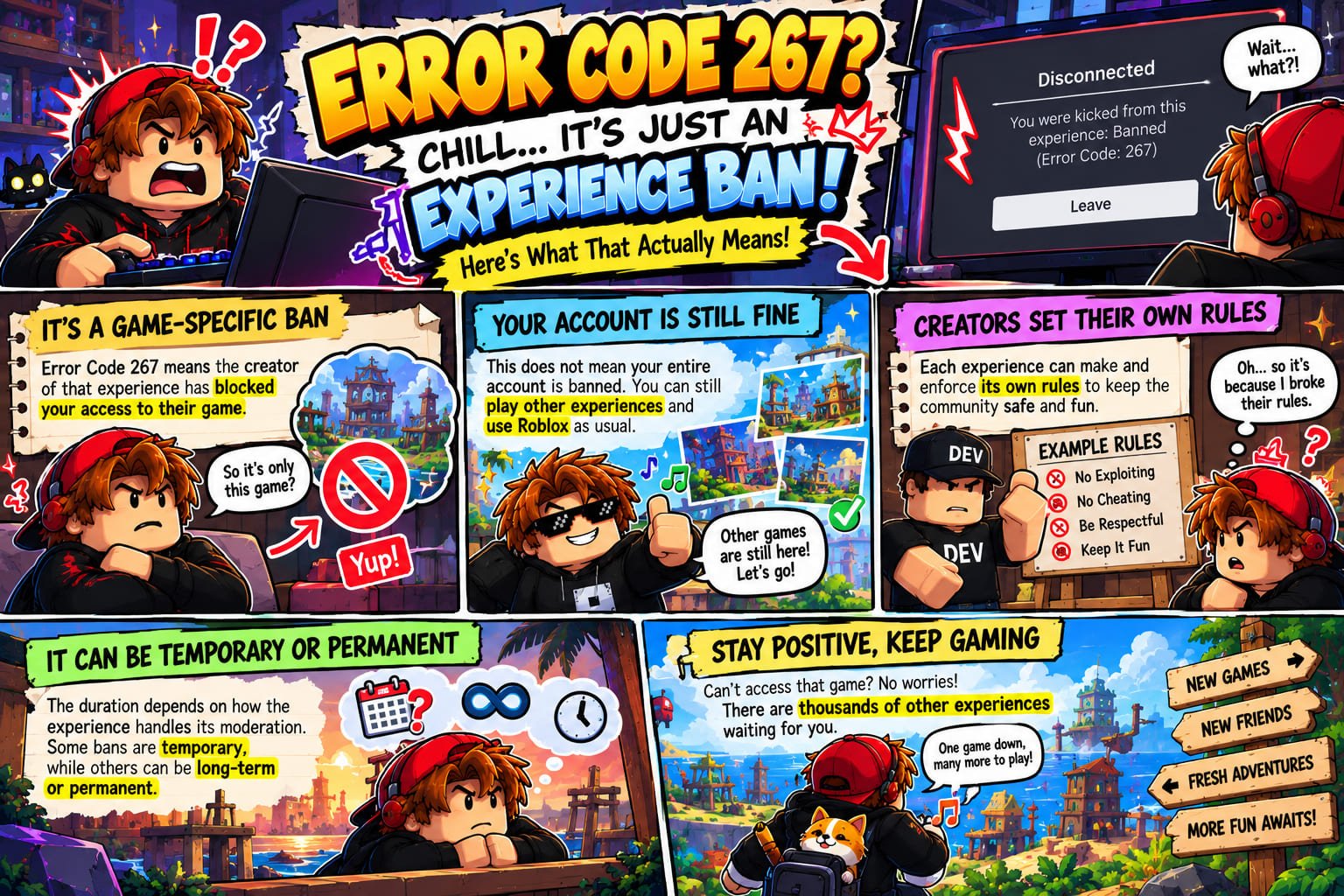
Roblox Error Code 267 means that your account has been banned from a specific experience by its creator. This does not mean that Roblox has banned your entire account.
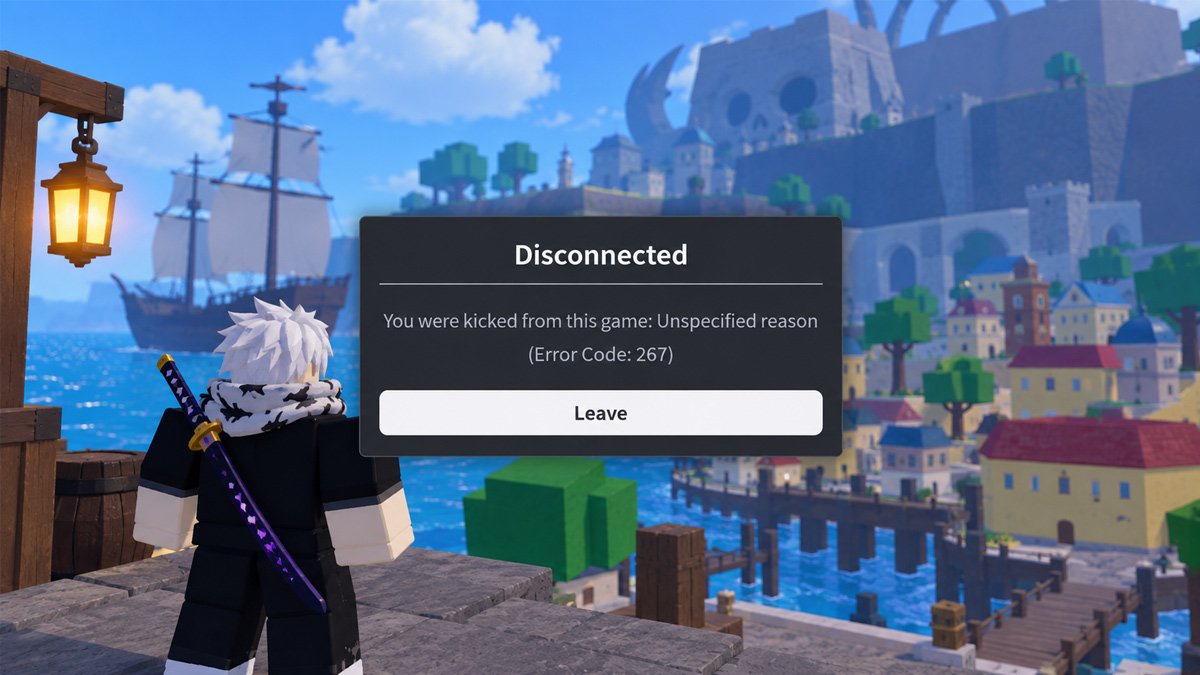
The game’s developer implemented this rule independently, instead of Roblox applying a site-wide penalty to your user account. If no separate account restriction applies, you can still access other experiences and features on the platform.
A lot of players mistakenly think this error code means their account was banned permanently by the game developers. In reality, however, there is a significant difference between an “experience ban” and a Roblox account ban that you need to understand.
Receiving Error 267 simply means you are banned from a single experience by its creator. This specific status does not mean that Roblox has banned your entire account. You can still access other experiences and Roblox features unless a separate restriction applies.
Why Did I Get Roblox Error Code 267?
Running directly into an unexpected Roblox experience ban popup immediately kills your momentum during an active gaming session.
Players may initially think the problem is caused by their internet connection because they are suddenly removed from an experience. However, Error Code 267 specifically indicates an experience ban, so technical troubleshooting is not normally what removes the restriction.
Witnessing this exact error message means the creator decided to restrict your access to that specific game room. The platform gives developers total authority to manage community guidelines, protecting users and keeping the virtual space safe and entertaining.
Experience creators can establish and enforce rules for their own experiences. Roblox explains that Error Code 267 indicates that the experience creator banned the account for violating Roblox Community Standards within that experience.
Is Roblox Error Code 267 a Permanent Ban?
A huge number of Roblox users falsely assume that Error Code 267 means their account has been permanently shut down, though that is incorrect. An experience ban does not automatically mean that your entire Roblox account has been permanently banned.
Fundamentally, this code is triggered by the moderation system of the specific experience you are playing. The rules and disciplinary measures can depend on how that experience handles its own moderation.
The duration depends on how the experience handles its own moderation. Some restrictions may be temporary, while others may last longer or be permanent. Until a formal message lands straight from the creators themselves, figuring out how long your active penalty will actually last may be difficult to determine.
Whenever that particular decision feels completely unjust and prejudiced, thoroughly reading through the official terms of service policies or sending a direct support ticket to staff members stands as your most practical resolution.
How to Fix Roblox Error Code 267
Facing Roblox Error Code 267 typically drives users into searching for rapid technical troubleshooting methods.
However, Error Code 267 is normally an experience-specific ban rather than a broken game file or device problem. Reinstalling Roblox or changing your internet connection will not normally remove a restriction issued by the experience creator.
Nevertheless, there are several steps you can take to confirm the restriction and determine the appropriate next action.
1. Confirm That the Error Is Actually Code 267
Watching your smooth gaming experience get halted instantly can make you super frustrated. Instead of removing the entire game folder or changing your device settings, pause for a moment and read the specific alert box on your screen to confirm whether Error 267 is displayed.
Be sure to read the full error message and note down the name of the affected experience. Confirming the exact error helps you avoid applying troubleshooting steps intended for a different Roblox error code.
2. Try Another Roblox Experience
Trying to play other Roblox games can be a highly effective diagnostic step. If you can join another experience without encountering the same restriction, that is consistent with the problem being limited to the original experience rather than being a Roblox-wide account restriction.
3. Check the Experience’s Rules or Ban Information
Stop guessing why you were kicked out and check out the developer rules for immediate insight. Checking transparent server guidelines established by creators provides users a wise tactic to identify rule breaks early and fully escape bothersome account limitations.
Understanding which policy, you might have accidentally breached brings much-needed reassurance and transparency regarding the safety of your cherished player profile going forward.
4. Contact the Experience Creator
That moment of relaxation you’ve been looking forward to all day can suddenly be ruined by Roblox Error Code 267. Receiving a surprise suspension notice feels incredibly annoying, especially when you know for a fact your gameplay was entirely honest.
Nevertheless, staying calm remains the best option now. If you need clarification or want to appeal the restriction, communicating directly with the experience creator may be the most relevant next step.
Try looking for the official contact or appeal information that the developer has publicly listed in the game description, profile, community, or other official channels. Provide the relevant details about your restriction and follow the appeal process if one is available.
5. Contact Roblox Support Only When Appropriate
Encountering technical issues while playing certainly tests your patience, especially when you feel you haven’t done anything wrong.
Desire to reclaim lost game access usually leads players to submit hasty tickets to customer service agents. However, Roblox Support cannot remove a ban issued by an experience creator or contact the creator for you.
If you are experiencing a separate Roblox account or platform issue, Roblox Support may be appropriate for that problem. However, Support cannot remove an experience ban issued directly by its creator.
Can You Remove or Bypass a Roblox Error 267 Ban?
Encountering the sudden Error 267 disconnect message during an intense Roblox session really puts a gaming enthusiast’s restraint to the ultimate test.
The error message indicates that the experience creator has restricted your access. The specific reason depends on the experience’s moderation rules and the information provided with the restriction.
Out of pure annoyance during these lockouts, users regularly attempt to circumvent restrictions by employing unapproved utilities, masking their connection with a VPN service, or making secondary user profiles straight away.
Setting up a secondary account after getting banned fails as a real solution, damaging fair competition while forfeiting your past hard accomplishments. Likewise, adjusting your network DNS or wiping system data cannot remove a ban issued by the experience creator.
Quit stressing over brief system glitches; instead, take a short breather to review your situation sensibly. Take time to check the official terms of service to discover what specifically led to your account restriction. If you reckon an error occurred, get in touch with the developers or staff respectfully, handing over concrete evidence for a proper review.
| Situation | Meaning |
|---|---|
| Encountering Error 267 when joining one experience | Could indicate an experience ban. |
| Still able to play other experiences | Consistent with an experience-specific restriction. |
| Unable to use Roblox broadly | Could be a different account/platform issue, not automatically Error 267. |
| Roblox Support cannot remove creator-issued bans | Consistent with official Roblox information. |
Getting this code indicates a ban implemented by the experience creator rather than an action from Roblox itself. As a result, the restriction applies to that experience while you can still access other experiences and platform features if no separate restriction applies.
What If You Think Error Code 267 Was a Mistake?
Before getting upset about an experience ban, review the experience’s rules to ensure you are in compliance. Write down the title of the experience and the exact error message shown on screen. Include any relevant details requested by the developer when submitting an appeal.
Closely follow proper game appeal instructions rather than hunting for smart workarounds. Avoid spamming support teams with duplicate messages or attempting to bypass active restrictions, because following established procedures remains your most dependable path. Remember, final decisions rest entirely with the game admins, so getting your account unbanned is never a certainty.
Common “Fixes” That Usually Don’t Address Error 267
Trying different fixes for Error 267 frequently feels like a completely endless cycle. Erasing your game save data or fully reinstalling the desktop software usually feels like the quickest remedy whenever you urgently want to enjoy playing together again.
Even so, users should understand that technical connectivity fixes cannot undo a ban placed by a game creator. Resolving local network problems has no effect on an experience restriction enforced by its creator. Understanding this can prevent you from wasting time on troubleshooting steps that cannot remove the ban.
Frequently Asked Questions
1. What is Roblox Error Code 267?
It indicates that a player was banned from an experience by the developer or an admin.
2. Is Error Code 267 a Roblox ban?
It is an experience-specific ban issued by the experience creator, not a ban issued by Roblox itself. Broader Roblox account restrictions are separate from Error Code 267.
3. Can Roblox remove Error Code 267?
Roblox Support cannot clear an experience ban because the restriction is issued directly by the experience creator.
4. How do I appeal Error Code 267?
Contact the experience creator directly through their available appeal process to ask about the restriction.
5. Can reinstalling Roblox fix Error Code 267?
Reinstallation will not remove this experience-specific ban; if the restriction is temporary, its duration depends on the experience’s moderation, or you can appeal to the game developers directly if an appeal process is available.
6. Can I still play other Roblox games after Error 267?
Yes, according to Roblox Support, you can still play other experiences and access other platform features if the ban is only a creator-issued experience ban.